Product transparency

The interface and behavior tell the same story.

Every capability is part of the ordinary user flow. Buz World does not hide a catalog, unlock provider access, or change its feature set after review.
Visible workflowManual refreshNo provider integration
Visible from launch

The complete path.

  1. 1. Enter an explicit HTTPS playlist or supported media URL.
  2. 2. Review the workspace receipt and diagnostics.
  3. 3. Browse the groups and items declared by the file.
  4. 4. Open supported media with visible playback controls.
  5. 5. Refresh only when you choose the visible refresh action.
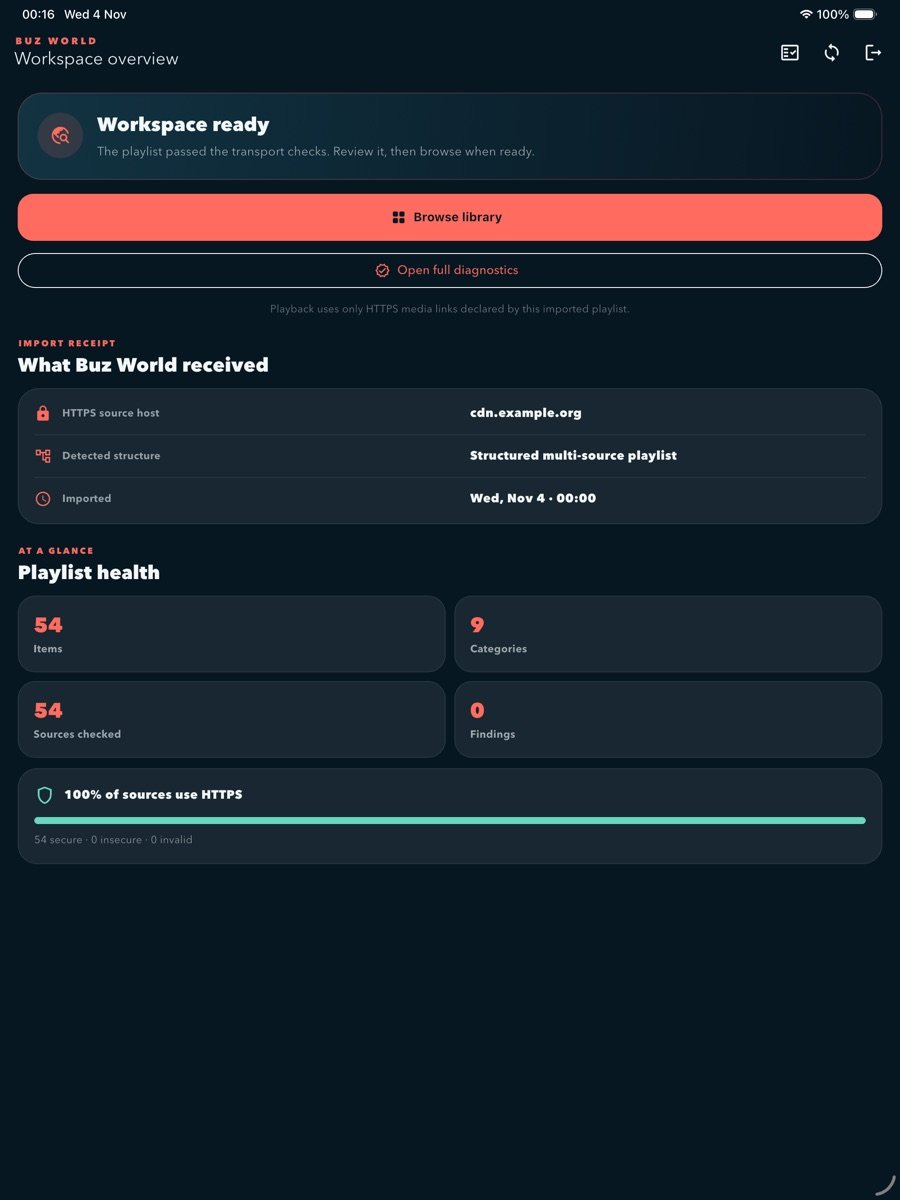
Buz World workspace overview on iPad
Workspace overviewNormal post-import screen
Network model

Requests follow your explicit choice.

Buz World performs an ordinary HTTPS request to the URL you enter and may follow standard redirects. It does not infer provider endpoints.

Input

Explicit HTTPS only

HTTP, credentials embedded in a URL, and bare provider labels are rejected.

Processing

On-device parsing

Recognizable playlist content is decoded into the local workspace model.

Playback

Declared media only

The app opens the exact supported media URLs declared by the source.

Included and documented

  • Playlist import and validation
  • Diagnostics and library browsing
  • Supported direct-media playback
  • Visible source selection and failover
  • Manual playlist refresh

Not part of Buz World

  • Bundled third-party content
  • Remote feature flags or hidden menus
  • Token generation or subscription bypass
  • Cookie, origin, or credential replay
  • Webpage extraction or endpoint discovery
Questions

Ask us about the product.

For feature, privacy, or review-transparency questions, contact Buz World directly.

Email us